


Scania Charging Access – seamless truck and bus charging
Kickstart your en-route charging journey
Discover Scania’s public charging solution for electric trucks and buses. Locate truck and bus ready stations, track network expansion, and enjoy hassle-free charging with no sign up or monthly fees. Get one simple invoice, regardless of the number of charging cards or vehicles.
Join us today and power your journey forward.
Benefits of Scania Charging Access
- Predictable pricing
- Easy for fleet managers and drivers
- Mixed fleet charging
- Simplified invoicing
The Scania Charging Access pricing strategy is designed to offer an easy and predictable tariff structure, ensuring maximum cost transparency for users. Our users benefit from a model with no subscription fees and a simple kWh-based rate without any additional or hidden charges. The tariff is always presented in the user’s own currency, and each country has a fixed Preferred* and Base** network tariff to keep pricing clear and consistent.

On the road or in the office, manage charging effortlessly.
Drivers use the Scania Driver app and a charging card for quick, easy charging. Administrators handle planning, monitoring, and billing through My Scania, with one simple monthly invoice and updates on network expansion.

Operate a diverse electric fleet? Scania Charging Access supports all brands, simplifying your electric operations with seamless charging access and access to a growing European network of truck-ready charge points being built by multiple players.

Whether you operate 5 vehicles in one city or 500 across Europe, receive one consolidated invoice for all your charging sessions. Simplify your billing with one account and one invoice per company entity with easy administration and overview through My Scania.

FAQ – charging, pricing and fleet management
See how we transform one of the greatest hurdles for fleet electrification – finding, using and paying for public charging – into a seamless and transparent experience. In our FAQ, you can also find answers to the key questions from fleet managers, charging coordinators and drivers.
- General questions
- Charging instructions
- Pricing and payment
- Account and support
Scania Charging Access offers a number of comprehensive benefits:
- Full integration into the Scania digital ecosystem (My Scania and Scania Driver App).
- Reliable and transparent pricing without hidden costs or complicated tariff models.
- Single consolidated monthly invoice with all charging costs for the period.
- Benefit from ensured truck and bus compatibility of the charging points in the network.
Customers are eligible to sign up for this Service if they operate a Scania vehicle. In addition, you can also use the Scania Charging Access service for all your electric heavy-duty vehicles – even those from other brands.
All charge points displayed in My Scania and the Scania Driver app can be accessed with the service.
Depending on your Scania model, the plugs and charging performance may vary. Therefore we also make sure to display only the charging stations equipped with a suitable plug for your Scania vehicle through convenient filtering.
Booking a charging station in advance is unfortunately not possible at the moment. However, a booking function is on our roadmap as soon as the market conditions allow for it.
The goal of the service is to cover all of Europe, but implementation is ongoing and the network is continuously being expanded with both additional stations and countries. The best and most up-to-date way to see all available stations is to use the map interfaces in My Scania and the Scania Driver App.
There are various factors that can influence the charging power and charging time. These include:
- Energy capacities of the charging station
- Power rating of the energy infrastructure
- State of charge and temperature of the battery
- Restrictions in the settings of the charger or of the energy management systems
As a note: Generally, slower charging is preferred, due to its positive effect on battery life.
Starting the charging process can take up to 15 seconds, depending on the speed of the different systems.
The real-life charging time will depend on various factors such as your vehicle model, the charging infrastructure and the state of the battery. For the most accurate prediction of the charging time, please check the display in your vehicle or on the charging station.
Once you have arrived at a suitable charging point, you can initiate the charging-session in the following ways:
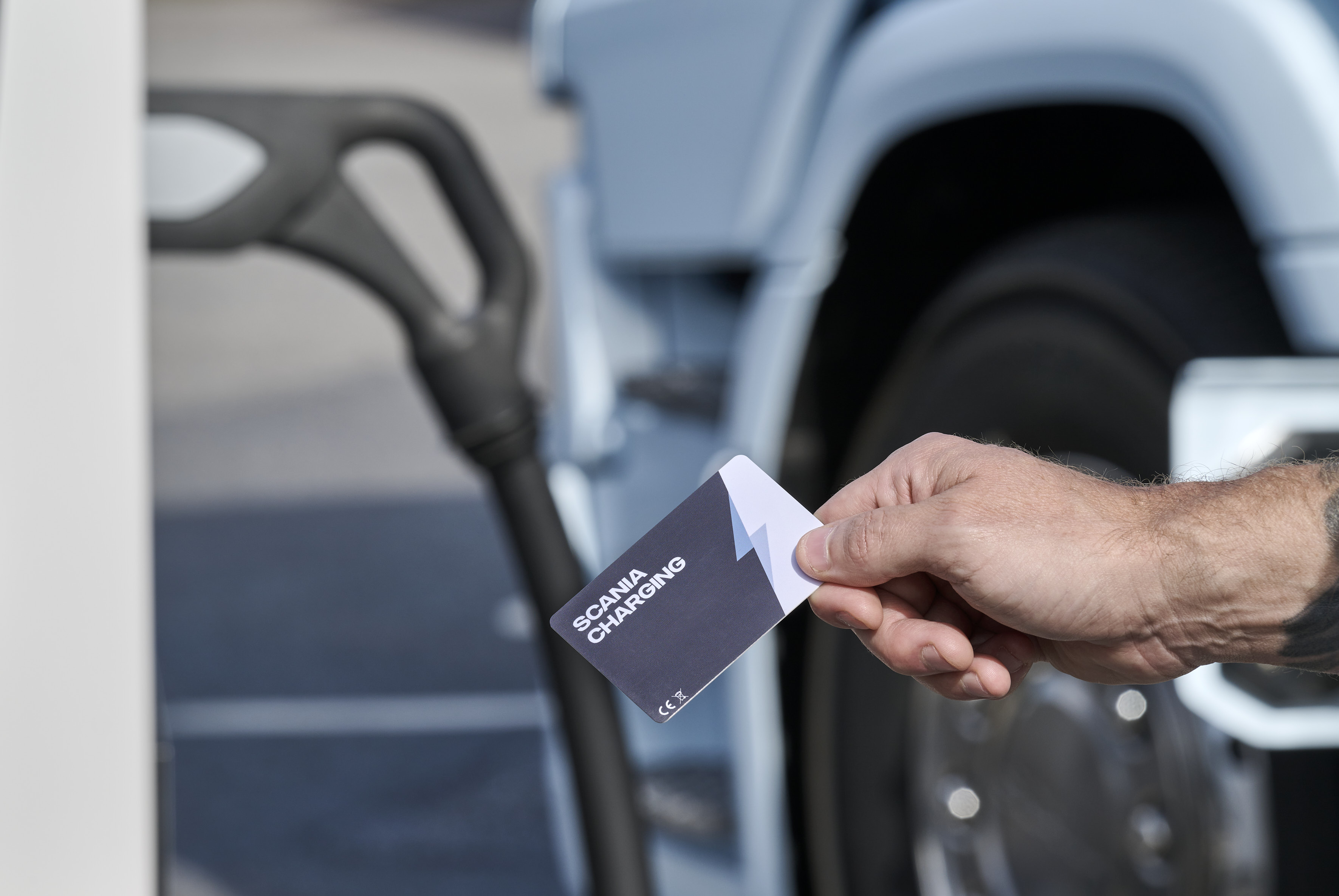
Scania Charging Access card
Hold the card up to the connector on the charging station for a few seconds to initiate charging. The charging cable can be connected to the vehicle either before or after initiating the charging process. For additional information, please read the description on the charging stations.
Check to see if the charger or charging station are displaying any error messages that could indicate the reason for the interruption.
Sometimes unpredictable disruptions can happen which are often resolved simply by restarting the charging process. Try to stop the charging process and start it again. If your problems remain, please call our support using the phone number shown both on the charging card as well as in My Scania and Scania Driver App.
You can end the charging process in the same way you started it, which means the charging process can be terminated in several ways:
- Hold your charging card at the station's card reader and follow the instructions displayed or shown.
- Press the blue charging button next to the charging inlet. Ending a charging session is a process that may take a few seconds to complete. The charging cable should not be removed until the charging inlet button no longer lights up.
For further information, please download the "Scania Driver's Guide" app.
There may be multiple reasons that prevent disconnecting the charging cable from the vehicle socket, so please perform the following checks to get back on the road:
- Check whether the charging process has already ended. You can find information on how to do this in the question above
- Make sure the vehicle is not locked, locking the vehicle will also lock the plug in place
- Push the cable slightly deeper into the charging socket to try to release any tension before attempting the disconnect
- If none of the above suggestions resolve your issue, you can use the emergency release in your vehicle. The vehicle manual will provide you with the exact location and functionality of the emergency release
The health of your vehicle's battery is not affected by the target state of charge, so feel free to charge up to any desired level.
Yes. During the charging process, the charging cable is locked in the socket so that it cannot be unplugged by third parties, and you can keep track of the charging status live via the app.
To allow quick access to the charging infrastructure for other drivers, we encourage you to park your vehicle at the station only during the charging period, keep track of its status, and remaining nearby and ready to move your vehicle when charging is done.
You only pay for when you are using a station. The charging prices are fixed and standardised by country, which means you can plan ahead for a smooth charging experience without surprises. We update the prices on a regular basis to adjust for energy market pricing. This means that even if pricing changes are communicated in advance, the current price can always be seen by simply clicking on a specific charging station in the app or My Scania – as well as in the current price list. Please note that if you stay connected to a station for an extended period of time even after charging has completed which may block access for other vehicles, an additional time based fee may be added.
You can download your invoices from My Scania. In addition, your monthly invoice is always sent to your company invoice email address at the start of the following month. You can find out which email address is registered for invoicing by checking the contract page at My Scania --> Charging Services --> Charging Access Management --> Agreement information.
No matter where you charge – when charging with the charging card or the app, the charging costs are automatically and directly associated with your company account for centralised payment. After receiving the invoice at the start of the following month, you simply pay the outstanding amount to Scania via a bank transfer.
All completed charging activities are displayed in the My Scania portal. You can find it using the following steps: My Scania --> Charging Services --> Charging Access Management --> Charging Sessions.
If you have found any errors or issues with your invoice, please use the following service number +46 77 440 00 99 or send an email to digitalsupport@scania.com.
You pay your monthly invoices with SEPA Credit (bank transfer). Other payment methods such as credit cards are currently not supported.
*The Preferred Network consists of charging stations operated by partner Charge Point Operators (CPOs) that have a dedicated strategy to deploy charging infrastructure for HDVs. Through direct contractual agreements with these partners, Charging Access secures more beneficial pricing and commercial terms, which are passed on to customers to ensure cost-efficient and reliable access to strategically located HDV charging stations. Some examples of such partners: Scania Captive Dealers, Milence, Uno-X, Einride, Recharge etc.
**The Base Network consists of charging stations connected via roaming agreements, without direct commercial negotiations between Scania and the CPOs. This network provides broad coverage across Europe and ensures that customers can access a wide range of stations. It includes a mix of sites designed for HDVs and stations intended for passenger cars. We are continuously working on classifying stations to improve convenience for customers and actively expanding partnerships to transition more CPOs into the Preferred Network, where beneficial pricing and tailored HDV solutions are secured.
You can access your Charging Dashboard in My Scania by going to the Charging Service tab. This is where you will find detailed information about the current status of your fleet once you have signed up. On this Charging Dashboard page, simply click on Charging Access Management and follow the instructions for the sign up process by filling in all required information in the registration form.
After successful activation of the subscription contract you will receive a welcome email and your personal Welcome Box with all important documents as well as the charging cards you have ordered. The cards are inactive at the time of delivery and must be activated via the My Scania portal before first use.
If you do not receive a confirmation email from us – please double check that it has not been tagged by your spam-filter or listed as junk mail since such systems may consider it as unsolicited.
The Driver app offers a unique charging experience with numerous advantages:
- Finding charging stations through a map based view.
- Receiving up-to-date information about charging stations, such as location, charging power, availability and price.
- Filtering charging stations according to parameters such as truck capabilities and charging speed.
- Starting and stopping charging sessions.
In My Scania, you can assign different roles with different permissions within the system here.
Roles and Charging Access permissions in My Scania:
- Charging Manager: Unrestricted use of all charging functions
- Office Staff: Unrestricted use of all charging functions (except sign-up)
- Viewer: Only reading permission of charging section
- Driver: Use Scania Driver app (note that drivers without the Driver app can always use charging cards for charging)
We are always trying to provide the best possible charging experience, and rely on correct data. In the case where you've found incorrect information, we would be happy to receive a message from you. For any corrections, we will always manually review the information before promptly updating the public information accordingly. Thank you for your help.
Power your journey forward
The seamless, one-stop-shop solution for all your public charging needs.
Discover electrification at Scania
Explore Charging Access in your local language
Scania Charging Access is a service powered by TRATON Charging Solutions.